 Smart ScoreboardCLOUD
Experimental cloud service
Your scoreboard,
connected.
Bring your displays and control boards together. The game stays on your host device.
Sign in with GoogleSign in to join a session. Guest accounts can join and request control. User accounts can also create sessions.
One host.
Every screen.
Apple devices, web displays, and operators.
Connected through one cloud session.
SMART SCOREBOARD CLOUD
Sessions
Your games and connected devices, in one place.
Join a session below. To create your own sessions, ask a service administrator for User access.
Join a session
Have a code? Connect to the game.
Create a session
Set up a cloud connection for your next game.
Your sessions
Cloud sessions you own.
Your game stays local. LAN devices and cloud devices can join the same host. Local play continues if the cloud disconnects.
Link your app device
Sign in here, then continue on your device.
- 1Open Cloud Sessions in the app
Settings → Remote Display & Control → Cloud Sessions.
- 2Choose your cloud service
Select Public Cloud (Experimental), or enter your self-hosted service address.
- 3Choose “Sign in and Link Device”
Open the verification address or enter the device code below.
Link device
Live scoreboard
Quick controls
For the full set of sport controls, use a linked control board in the app.
Session devices
The owner approves control separately for each device.
One game host. Multiple ways to connect.
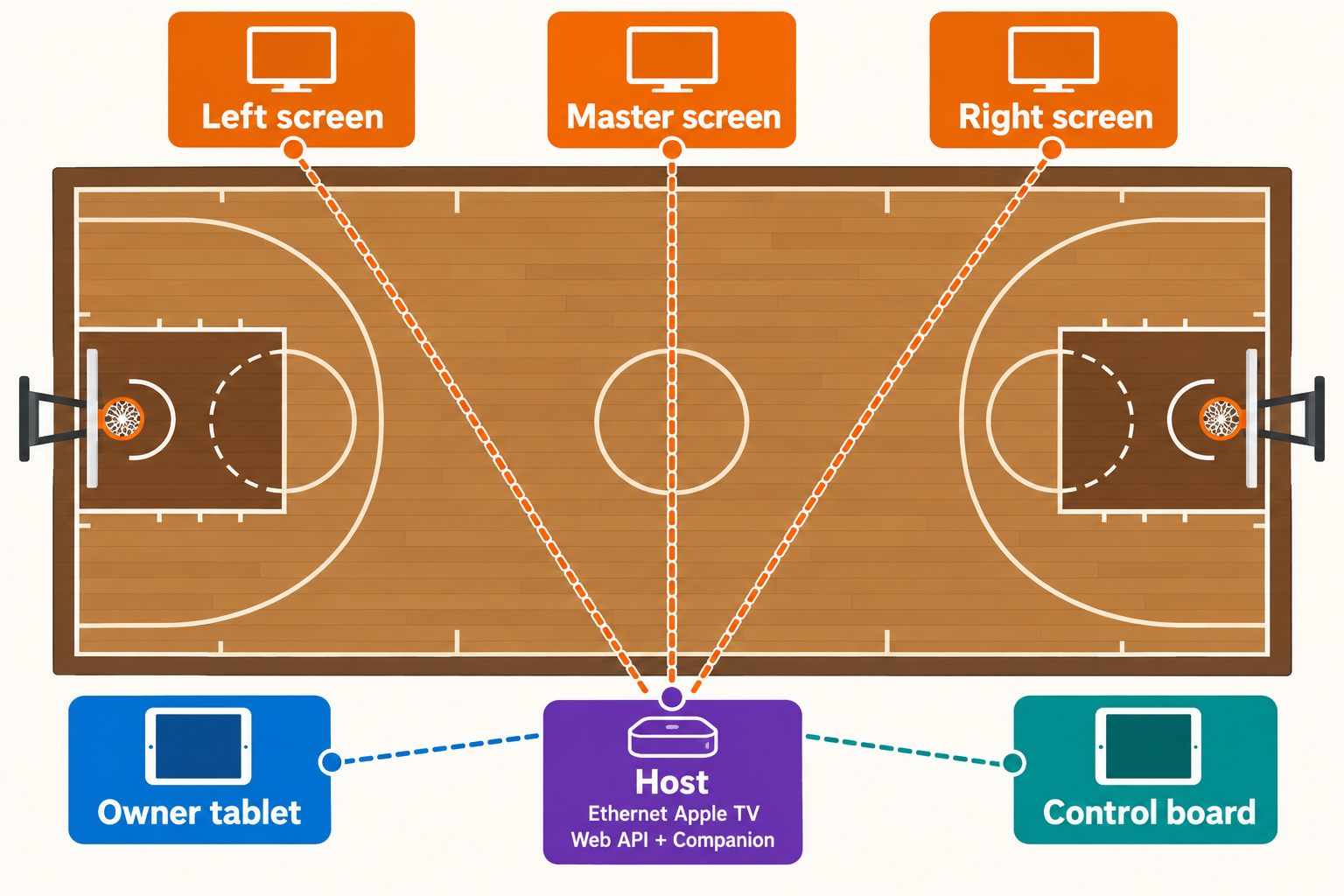
The host runs the scores, clocks, and game logic. The cloud connects your remote devices to that host.
Play locally
Nearby displays and control boards connect over your local network. They don't need internet or a cloud account.
Connect remotely
The host needs internet to publish to the cloud. Remote devices sign in and join using a session code.
Stay in control
Displays can join by code. The owner decides which devices can send control commands.
Registration
Choose the account level for new sign-ins.
Accounts
Manage service access independently of live game permissions.
Active sessions
Ending cloud access leaves the local game running.
Operator activity
Recent audited changes to the service.